> ## Documentation Index
> Fetch the complete documentation index at: https://docs.aldoc.care/llms.txt
> Use this file to discover all available pages before exploring further.

# 시작하기

> 알닥 클라이언트 설치 및 기본 사용법 안내

알닥 클라이언트는 진료실 등에서 상담, 진료 중에도 빠르게 영양제를 담고, 고객에게 전송할 수 있도록 도와주는 프로그램입니다.

이 문서는 알닥 클라이언트를 처음 사용하는 사용자를 위해, 프로그램 다운로드부터 설치, 로그인, 기본적인 사용 과정을 안내합니다.

## 1. 프로그램 다운로드

하단 다운로드 버튼을 통해 알닥 클라이언트 프로그램을 다운로드해주세요.

<div style={{ display:'flex', flexDirection:'column', gap: '12px', border: '1px solid #e1e1e1', background: '#fff', padding: '16px 20px', borderRadius: '16px' }}>
  <p style={{fontSize: '16px', fontWeight: 600, margin: 0}}>다운로드 링크</p>

  <div style={{marginTop: '0', display: 'flex', flexDirection: 'row', gap: '8px'}}>
    <a
      href={"https://tp-client-release.monolabs.io/static/aldoc-client-0.1.2-release-setup.exe"}
      className="bg-primary-dark"
      style={{
  display: 'inline-block',
  textDecoration: 'none',
  padding: '6px 16px',
  color: '#fff',
  border: 'none',
  borderRadius: '12px',
  cursor: 'pointer',
  fontWeight: 500,
  fontSize: '16px',
}}
      download
    >
      설치 프로그램 다운로드
    </a>

    <a
      href={"https://tp-client-release.monolabs.io/static/aldoc-client-0.1.2-release.zip"}
      className="bg-background-light border border-gray-200"
      style={{
  display: 'inline-block',
  textDecoration: 'none',
  padding: '6px 16px',
  borderRadius: '12px',
  cursor: 'pointer',
  fontWeight: 500,
  fontSize: '16px',
}}
      download
    >
      압축 파일 다운로드
    </a>

    <a
      href={"https://tp-client-release.monolabs.io/static/aldoc-support-remote.exe"}
      className="bg-background-light border border-gray-200"
      style={{
  display: 'inline-block',
  textDecoration: 'none',
  padding: '6px 16px',
  borderRadius: '12px',
  cursor: 'pointer',
  fontWeight: 500,
  fontSize: '16px',
}}
      download
    >
      원격제어 도구 다운로드
    </a>
  </div>

  <p style={{fontSize: '14px', fontWeight: 400, margin: 0, color: '#888'}}>설치 프로그램 다운로드가 정상적으로 작동하지 않는 경우, 압축 파일 다운로드를 사용해주세요.</p>
</div>

프로그램 구동을 위해 필요한 사양은 다음과 같습니다. 사양 미달 시, 프로그램이 원활히 작동하지 않을 수 있습니다.

| 구분       | 내용            |
| -------- | ------------- |
| 운영체제     | Windows 10 이상 |
| CPU 아키텍처 | AMD64, ARM64  |
| 메모리      | 8GB 이상        |
| 저장공간     | 1GB 이상의 여유 공간 |
| 네트워크     | 인터넷 연결 필수     |
| 권장 해상도   | 1280x720 이상   |

## 2. 프로그램 설치

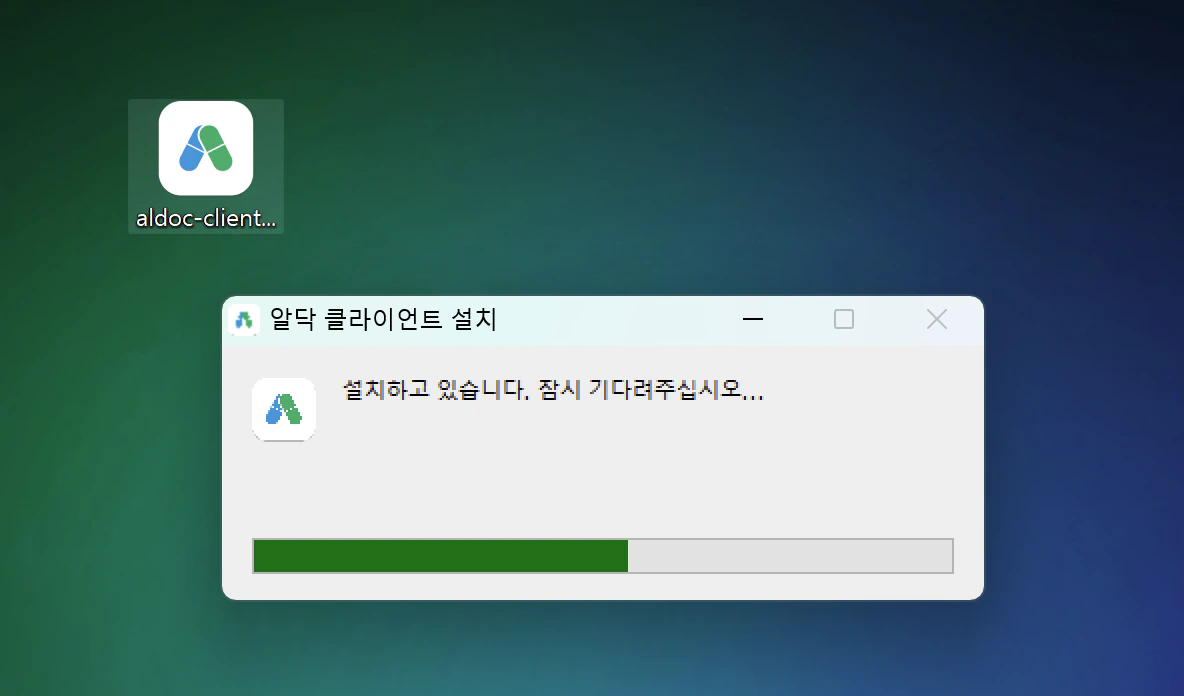
다운로드 된 설치 파일을 실행해주세요.
<img src="https://mintcdn.com/monolabs-c9eee159/gdVP0hqR4GHLXqXx/client/img/2025-12-14-02-20-05.png?fit=max&auto=format&n=gdVP0hqR4GHLXqXx&q=85&s=e296121128d036fc1b64aed292558aad" alt="" width="1184" height="696" data-path="client/img/2025-12-14-02-20-05.png" />

## 3. 프로그램 실행 및 로그인

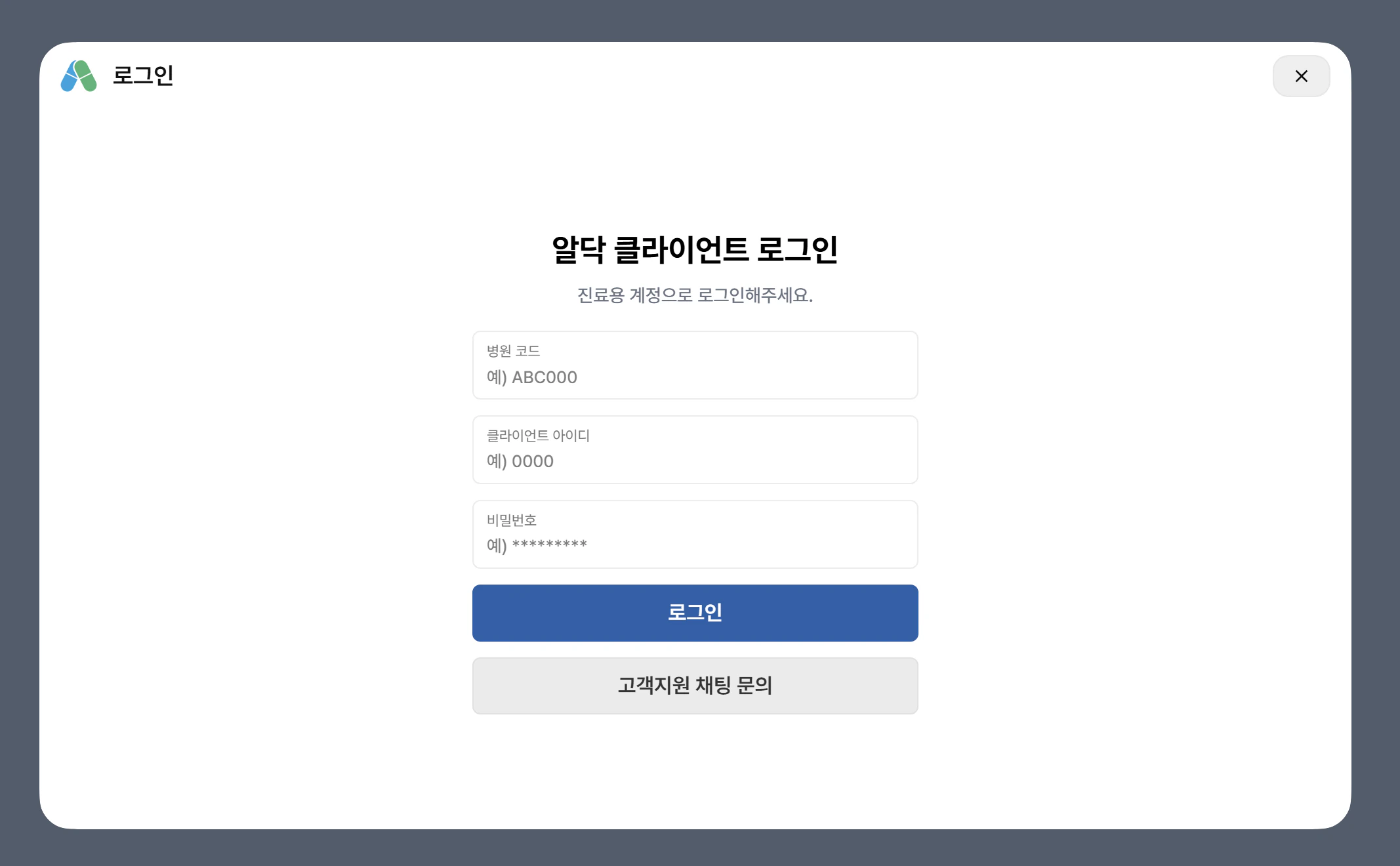
설치가 완료되면, 프로그램이 실행됩니다. 알닥 가입 시 전달 받은 기업 코드와 아이디, 비밀번호를 입력 후 로그인 버튼을 눌러주세요.
<img src="https://mintcdn.com/monolabs-c9eee159/UgTpAVF4revtp80q/client/img/ada.png?fit=max&auto=format&n=UgTpAVF4revtp80q&q=85&s=1592d24137096a22d781763fdc449461" alt="" width="2134" height="1320" data-path="client/img/ada.png" />

## 4. 학습 절차 진행

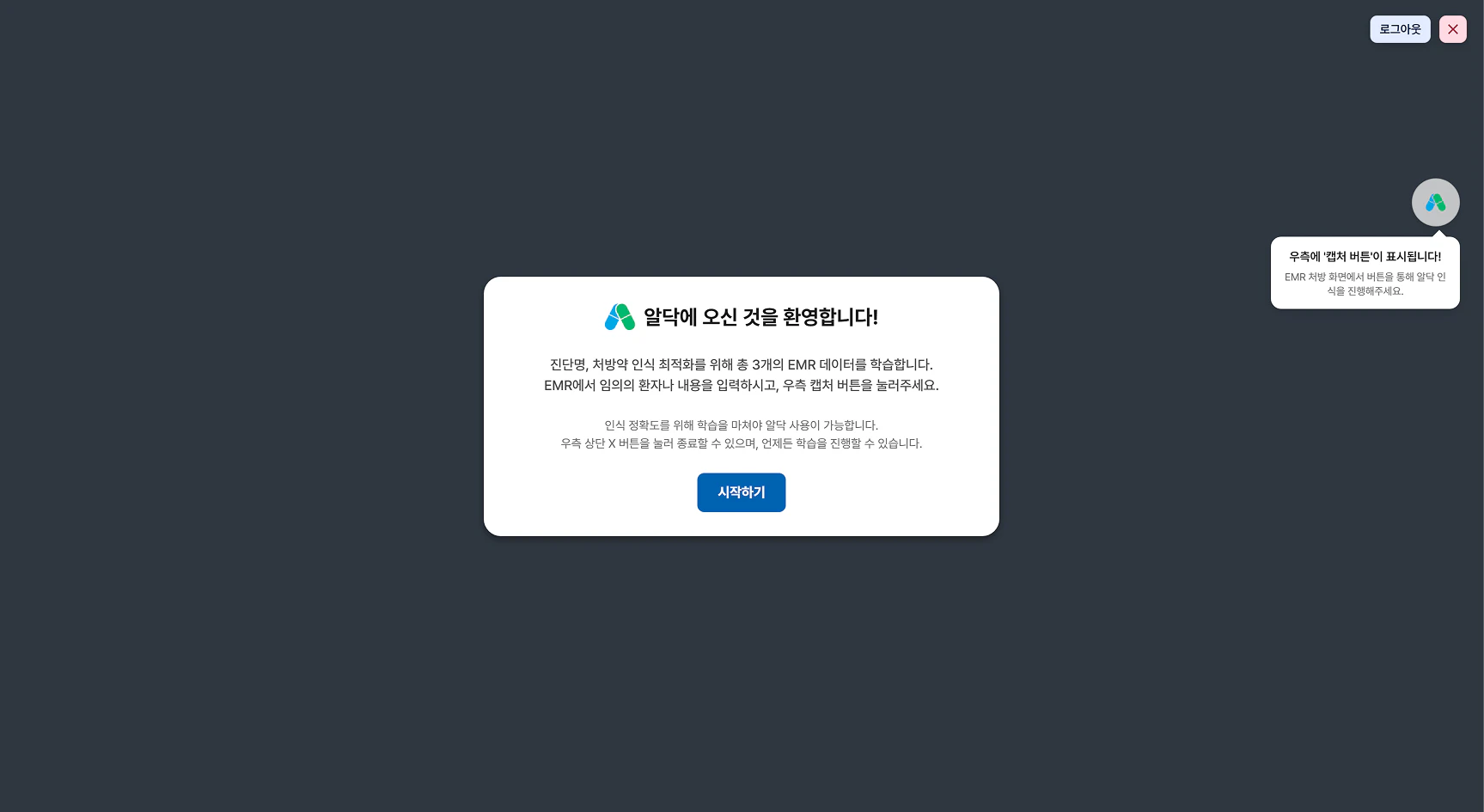
로그인에 성공하면, 학습 절차가 시작됩니다. 알닥 클라이언트가 EMR 화면을 인식할 수 있도록, 안내에 따라 학습을 진행해주세요.
<img src="https://mintcdn.com/monolabs-c9eee159/UgTpAVF4revtp80q/client/img/aa.png?fit=max&auto=format&n=UgTpAVF4revtp80q&q=85&s=a3fe9e851c51ca265ffb52a5ad0acbb5" width={700} data-path="client/img/aa.png" />

## 5. 학습 완료 및 사용 시작

학습이 완료되면, 알닥 클라이언트를 사용할 준비가 완료됩니다. [학습 완료 이후 안내](./onboard-done) 가이드를 참고하여, 알닥을 사용해보실 수 있습니다.

***

학습 실패 안내를 받으셨다면, [학습 실패 안내](./onboard-failed) 가이드를 참고하여 문제를 해결해주세요.

***

추가로 궁금한 점이 있거나, 문제가 발생한 경우 [고객지원 안내](/supports/channel_talk) 가이드를 참고하여 고객지원에 문의해주세요.
